You Don’t Need to Remember the Title
30 May 2026
How DeskMemory helps you find notes by what they *mean* — not what they’re called
# You Donât Need to Remember the Title **How DeskMemory helps you find notes by what they *mean* â not what theyâre called**
The problem we all know:
You jotted something brilliant during last monthâs team call. A sentence, a recipe tweak, a weird-but-workable idea for onboarding new clients.
Now you need it again.
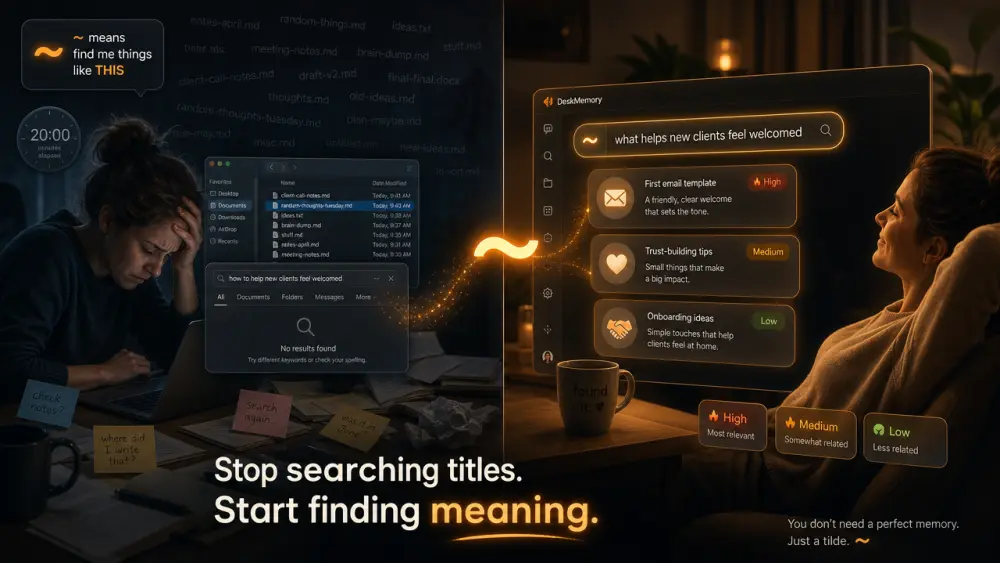
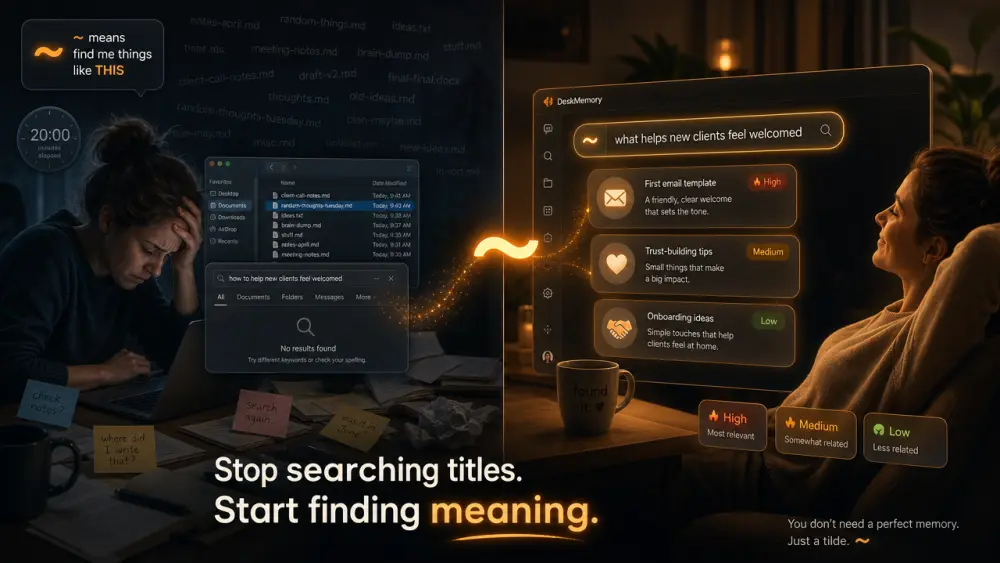
You open your notes. You type âonboarding.â Nothing. âNew clientâ? Nothing. You scroll. You squint. You mutter. Twenty minutes later you find the note â it was in a file called ârandom-thoughts-tuesday.md.â Of course.
This is the ScatterâSeekâRepeat loop. It wastes hours and makes your past self look like a chaotic hoarder.
The Rebel Fix: Ask for meaning, not letters
Most computer searches are dumb: it looks for exact words. If you donât type the *exact letters* you used when you first wrote the note, the computer shrugs.
DeskMemory gives you a smarter way. Put a wiggly line â a tilde (`~`) â before your search.
And suddenly, your vault understands what you *mean*, not just what you spelt.
Compare:
| Normal search | `~` meaning search | |-----------------------|-----------------------------------| | Finds âcarrot soupâ | Finds âeasy vegetable dinnersâ | | Needs exact filename | Finds ideas about anything similar | | Ignores your messy brain | Works with your messy brain |
ð¥ Example: You search `~ what helps new clients feel welcomed` And DeskMemory offers up:
- That old âfirst email templateâ note â even though âwelcomeâ never appears in the title.
- A list of trustâbuilding tips from a postâmortem you wrote six weeks ago.
- Your notes about the time you sent a handwritten thankâyou card. (OK, maybe that was just you. But it works.)
You donât get a thousand unrelated files. You get the *good stuff* your past self actually meant.
Why this matters (especially if you think of yourself as ânonâtechnicalâ)
- You donât need to organize perfectly.
- You donât need to name files like a librarian.
- You donât need to remember *how* you originally phrased something.
You just need to know the approximate topic, and the tilde does the heavy lifting.
And â hereâs the rebel bit â your notes never leave your computer. The search happens on your machine. Your ideas arenât being uploaded to some cloud to train an AI. They stay yours.
One more thing to try
When youâre inside DeskMemory and you see a result that feels *almost* right, look at the small badges:
- high â very similar to your search
- medium / low â still related, but maybe worth a second glance
You can also adjust how âstrictâ the search is with one click â but honestly? Start with the tilde. Itâs the quickest way to stop hunting and start finding.
You already wrote the knowledge down. Now let it come back to you â without a treasure map.
DeskMemory ⢠Markdown on disk. Meaning in search. AI in context.